

Flow control
Docs › Flow control
Throttling
Smooth traffic bursts by queueing runs until your service has capacity.
Protect an API that accepts only a fixed number of requests per period. Throttling queues runs above the start limit and starts them as capacity becomes available, so burst traffic does not discard work.
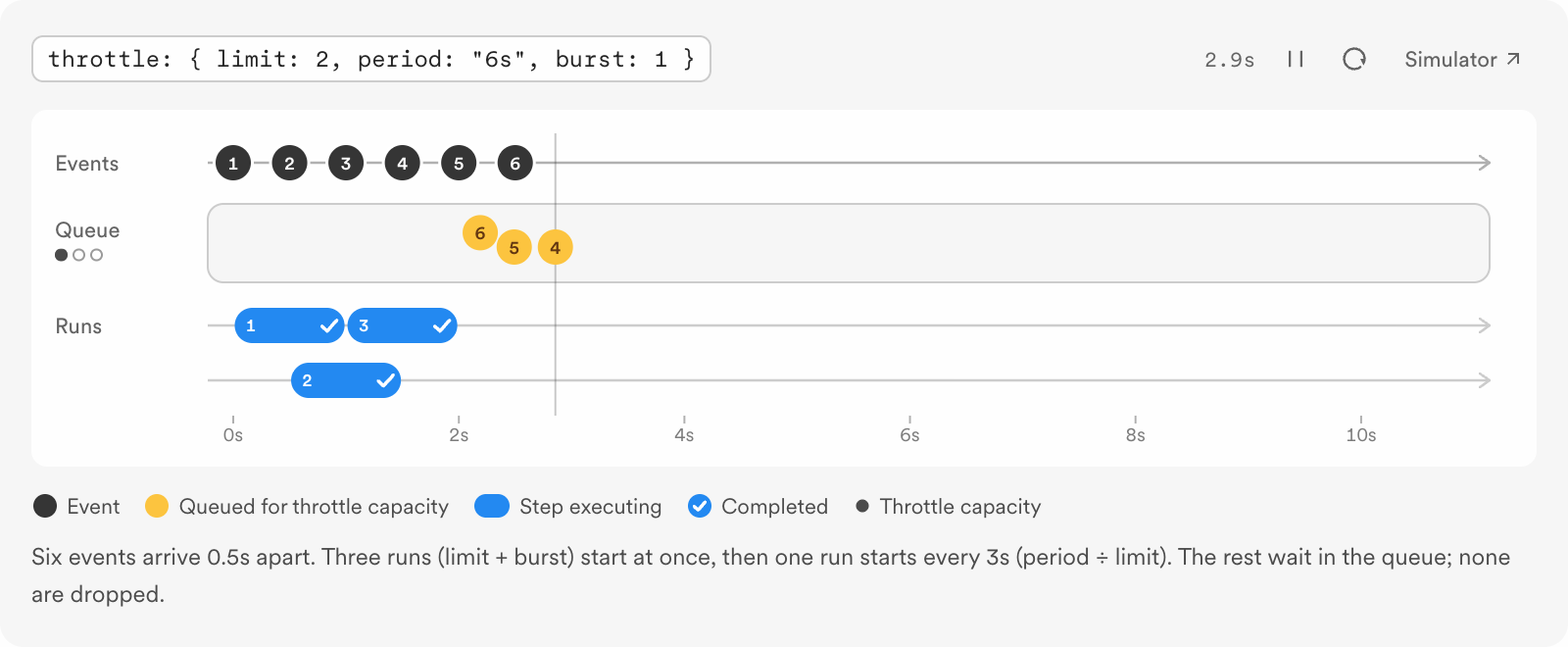
Set a throttle on a function
import { Inngest } from "inngest";

const inngest = new Inngest({ id: "my-app" });

export const summarize = inngest.createFunction(
  {
    id: "summarize",
    triggers: { event: "ai/summary.requested" },
    throttle: {
      limit: 1,
      period: "5s",
      burst: 2,
      key: "event.data.user_id",
    },
  },
  async ({ event, step }) => {
    return step.run("record-request", () => ({
      userId: String(event.data.user_id),
      textLength: String(event.data.text).length,
    }));
  },
);import datetime
import inngest
inngest_client = inngest.Inngest(app_id="my-app")
@inngest_client.create_function(
fn_id="summarize",
trigger=inngest.TriggerEvent(event="ai/summary.requested"),
throttle=inngest.Throttle(
limit=1,
period=datetime.timedelta(seconds=5),
burst=2,
key="event.data.user_id",
),
)
async def summarize(ctx: inngest.Context) -> dict[str, object]:
async def record_request() -> dict[str, object]:
return {
"userId": str(ctx.event.data["user_id"]),
"textLength": len(str(ctx.event.data["text"])),
}
return await ctx.step.run("record-request", record_request)import (
"context"
"net/http"
"time"
"github.com/inngest/inngestgo"
"github.com/inngest/inngestgo/step"
)
type SummaryRequested struct {
UserID string `json:"user_id"`
Text string `json:"text"`
}
type RecordedRequest struct {
UserID string `json:"userId"`
TextLength int `json:"textLength"`
}
func main() {
client, err := inngestgo.NewClient(inngestgo.ClientOpts{AppID: "my-app"})
if err != nil {
panic(err)
}
_, err = inngestgo.CreateFunction(
client,
inngestgo.FunctionOpts{
ID: "summarize",
Throttle: &inngestgo.ConfigThrottle{
Limit: 1,
Period: 5 * time.Second,
Burst: 2,
Key: inngestgo.StrPtr("event.data.user_id"),
},
},
inngestgo.EventTrigger("ai/summary.requested", nil),
func(ctx context.Context, input inngestgo.Input[SummaryRequested]) (any, error) {
return step.Run(ctx, "record-request", func(ctx context.Context) (RecordedRequest, error) {
return RecordedRequest{
UserID: input.Event.Data.UserID,
TextLength: len(input.Event.Data.Text),
}, nil
})
},
)
if err != nil {
panic(err)
}
_ = http.ListenAndServe(":8080", client.Serve())
}This function sets a separate throttle for each user_id. Replace the example step with the service call you need to pace. Inngest evaluates key against the triggering event. Without a key, the throttle applies to all runs of this function. Each function has its own throttle, even when two functions use the same key.
Choose the settings
limitsets the number of runs allowed to start duringperiod.periodaccepts 1 second through 7 days, with one-second granularity.burstallows additional run starts in a short burst on top oflimit. Within a period, at mostlimit + burstruns may start.keyis an optional expression. Each distinct result gets its own limit.
Inngest spreads run starts over time and starts queued runs in first-in, first-out order. When the throttle has no capacity, the run waits in the queue; it is not discarded. A large backlog can outlive the time in which the work is useful, so set a start timeout when delayed runs should expire.
Pick the right control
Throttling limits new run starts, not the steps inside a run. If each run makes several requests to a provider, account for those requests when choosing the start rate. For a cap on executing steps, use Step concurrency. If excess events should be skipped rather than queued, use Rate limiting.
Check the result
Send several events with the same user_id, then inspect their run start times in the Inngest dashboard. Send an event with a different user_id to see the independent keyed limit. If starts lag longer than expected, check the backlog, burst, and any start timeout.
Updated Nov 10, 2026
Powered byZunoy